
.png)
Diver CLI
Diver CLI
v0.2.6Command-line interface for DepsDiver - analyze packages, repositories, users, and threat actors
Download v0.2.6
Verify Checksums
We recommend verifying the checksum of the Diver binary to ensure the downloaded file has not been modified or tampered with.
Steps:
- Download the Diver binary for your platform and the corresponding checksum file.
- Ensure both files are in the same directory.
- Run the appropriate command for your operating system.
Using sha256sum:
sha256sum -c diver_0.2.6_checksums.txt --ignore-missingIf sha256sum is not available on macOS:
shasum -a 256 -c diver_0.2.6_checksums.txt --ignore-missingPowerShell:
certutil -hashfile diver_v0.2.6_file.tar.gz SHA256Compare the resulting hash with the corresponding entry in the checksum file.
Install
Download the appropriate archive for your platform and extract the diver binary:
tar -xvf diver_v0.2.6_Darwin_arm64.tar.gzThis will extract a diver executable into the current directory.
Getting Started
The following commands assume you are running diver from the directory where the binary was extracted.
Configure and Run Diver
Use command line flags to provide configuration directly when running diver:
./diver -u https://depsdiver.com/api -t <token>Set environment variables once and run diver without repeating flags:
export DEPS_DIVER_API_TOKEN=<token>
export DEPS_DIVER_URL=https://depsdiver.com/api
./diver
Authentication to DepsDiver API
Currently diver supports API tokens, which can be generated in your
DepsDiver account.
Generating DepsDiver Reports
Convert raw telemetry into definitive threat reports. Map adversarial influence across specific packages, repositories, and contributors in your stack.
Package Reports
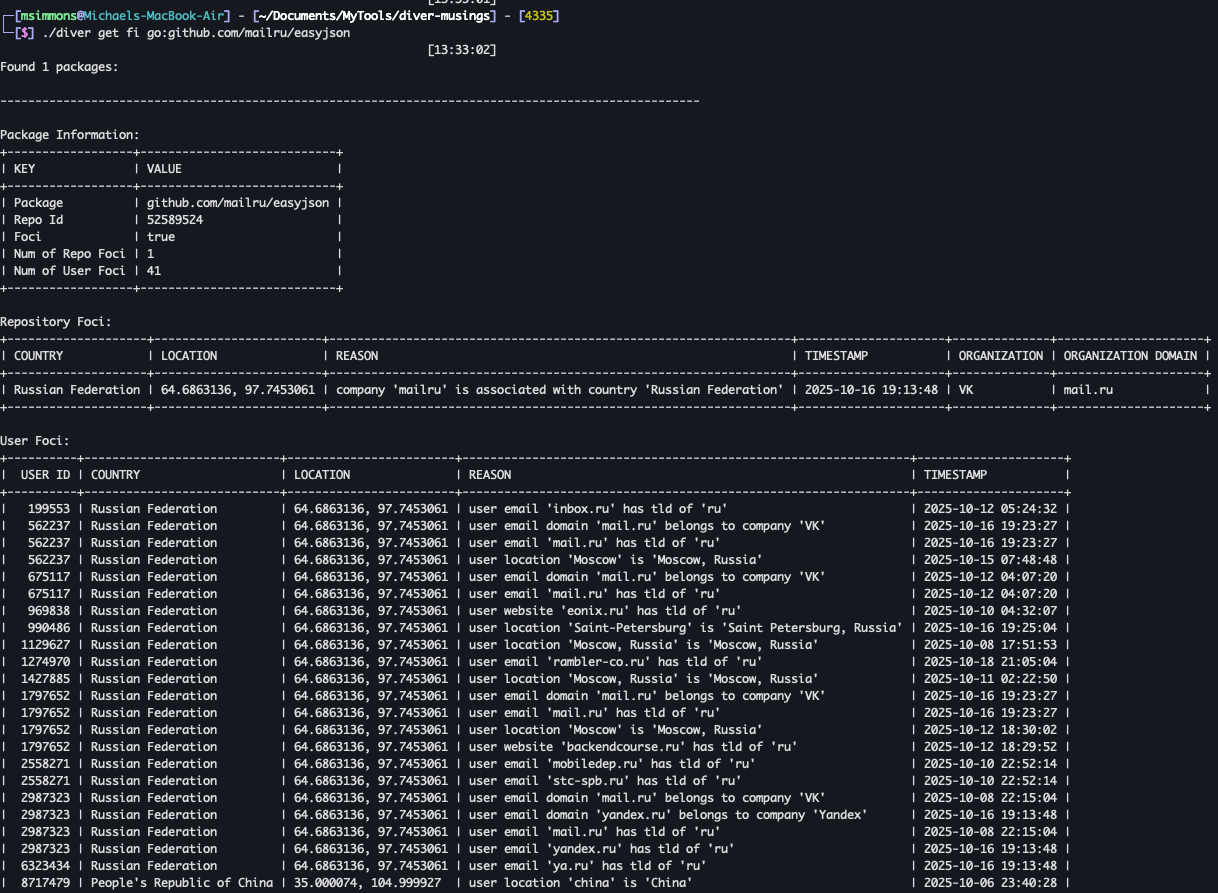
FOCI
Get FOCI data for a package:
./diver get fi npm:fast-globPackage Data
Get detailed package metadata:
./diver get package npm:fast-globThis command returns a repository ID, which can be used for repository-level reports.
Repository Reports
Commit Count
First, retrieve the repository ID from the package:
./diver get package npm:fast-globThen, get the commit count for the repository:
./diver get commit-count <REPO_ID>OpenSSF Scorecard
Get the OpenSSF Scorecard for a repository:
./diver get scorecard <REPO_ID>Releases
Get repository releases:
./diver get releases <REPO_ID>Tags
Get repository tags:
./diver get tags <REPO_ID>Threat Actor Reports
Get data for a threat actor by email or username:
./diver get threat-actor <email-or-username>User Reports
Single User
First, retrieve the user ID from the threat-actor search:
./diver get threat-actor <email-or-username>Then, get the user's data:
./diver get user <USER_ID>Multiple Users from File
./diver get user file:file-of-user-ids.txtRepository Users
Single Repository
./diver get users <REPO_ID>Multiple Repositories from File
./diver get users file:file-of-repo-ids.txt
Stay Connected


Cookies
Policies
Resources
Contact Us




2026 All Rights Reserved | Hunted LabsCookie Settings
We value your privacy. The site uses necessary cookies to operate and maintain security, which
are set automatically. We also use analytics cookies to understand how visitors use this site so we can improve it. These cookies are only placed with your consent. No analytics data is collected if you decline. You can change your preference at any time via the "Cookie Preferences" link in the footer below. For more information, see our Privacy Policy.
Cookie Settings
We value your privacy. We use analytics cookies to understand how visitors use this site so we can improve it. These cookies are only placed with your consent. No analytics data is collected if you decline. You can change your preference at any time via the "Cookie Settings" link at the bottom of this page. For more information, see our Privacy Policy.